

How to Prevent Kafka Rebalancing from Taking Down Your Whole System
- Mark Kendall
- 2 hours ago
- 12 min read

How to Prevent Kafka Rebalancing from Taking Down Your Whole System
Kafka rebalancing is one of those problems that looks like a DevOps issue when pods start dying, looks like an application issue when consumers stop polling, looks like a Helm issue when environment values differ, and looks like a Kafka issue when partitions start moving around. In reality, it is usually all of the above.
In a successful project, this kind of issue often appears late. Dev works. UAT mostly works. The team starts scaling pods. More traffic comes in. More environments are promoted. Helm charts become slightly different between Dev, UAT, and Prod. Kubernetes starts restarting pods. Kafka consumer groups begin rebalancing. Then one rebalance causes lag, lag causes more scaling or restarts, scaling causes more rebalances, and suddenly the whole delivery path feels unstable.
The key lesson is this:
Kafka rebalancing must be treated as an architectural reliability concern, not just a runtime surprise.
First, understand what Kafka rebalancing actually is
Kafka consumer groups divide topic partitions across active consumers. When a consumer joins, leaves, crashes, pauses too long, or stops polling, Kafka has to decide which consumer owns which partition. That reassignment process is called rebalancing.
Rebalancing is normal. It happens when pods scale up. It happens when pods scale down. It happens when a pod restarts. It happens when deployments roll. It happens when a consumer is too slow. It happens when Kubernetes kills a pod before the application leaves the consumer group cleanly.
The problem is not that rebalancing happens. The problem is when rebalancing becomes frequent, slow, disruptive, or cascading.
A dangerous Kafka/Kubernetes failure pattern looks like this:
A pod becomes slow or overloaded.
The Kafka consumer misses expected polling or heartbeat behavior.
Kafka marks it unhealthy or delayed.
The consumer group rebalances.
Partitions move to other consumers.
Those consumers now take more load.
More pods slow down or restart.
Kubernetes tries to heal the system.
Autoscaling adds or removes pods.
Kafka rebalances again.
That is how a “little Kafka issue” becomes a system-wide bottleneck.
Why this gets worse across Dev, UAT, and Prod
Dev environments usually hide the problem. There is less data, fewer pods, fewer partitions, fewer deployments, and fewer people touching the system at the same time.
UAT and Prod expose the real architecture.
The most common differences are:
Higher message volume.
More pods.
More concurrent consumers.
Different Helm values.
Different CPU and memory limits.
Different Kafka bootstrap servers.
Different security settings.
Different topic partition counts.
Different consumer group IDs.
Different autoscaling behavior.
Different readiness and liveness probe thresholds.
Different deployment strategies.
Different timeout values.
So the question is not, “Why did Kafka suddenly break?”
The better question is:
What changed between Dev and UAT/Prod that made rebalancing unsafe?
Kafka consumer configuration is especially sensitive here. For example, max.poll.interval.ms defines the maximum time between consumer poll calls before the consumer is treated as failed and the group rebalances. Confluent’s Kafka consumer configuration reference states that if polling does not happen within that interval, the consumer is considered failed and the group rebalances to reassign partitions.
That means a slow app thread, blocked dependency, long database call, overloaded pod, garbage collection pause, or bad deployment termination can all look to Kafka like a dead consumer.
The big causes of Kafka rebalancing storms
1. Pods are being killed too aggressively
Kubernetes may terminate a pod while the Kafka consumer is still processing records. If the application does not shut down gracefully, it may fail to commit offsets, fail to leave the group cleanly, and trigger a messy rebalance.
This often happens when:
terminationGracePeriodSeconds is too short.
The app ignores SIGTERM.
Consumers do not stop polling cleanly.
In-flight messages are abandoned.
The pod is killed before offsets are committed.
Rolling deployments replace too many pods at once.
A Kafka consumer pod needs a graceful shutdown path.
When Kubernetes says, “You are going away,” the app should:
Stop accepting new work.
Stop polling new Kafka records.
Finish or safely abandon current work.
Commit offsets when appropriate.
Close the Kafka consumer.
Exit only after cleanup.
Without that, every deployment can look like a failure event to Kafka.
2. Liveness probes are restarting healthy-but-busy pods
This one is brutal.
A pod can be alive, but busy. If the liveness probe is too aggressive, Kubernetes may restart a pod that was only temporarily slow. That restart removes a consumer from the group. Kafka rebalances. Other consumers get more load. They slow down. Their liveness probes fail. More restarts happen.
That creates a death spiral.
For Kafka consumers, liveness probes should answer: Is the process truly dead?
Readiness probes should answer: Should this pod receive work or traffic right now?
Do not use liveness probes as a performance monitor. A slow pod should usually become “not ready” before it is killed.
3. Autoscaling is based on the wrong signal
Scaling Kafka consumers is not the same as scaling stateless HTTP pods.
With HTTP, more pods usually means more capacity. With Kafka, more consumer pods only help up to the number of partitions in the topic. If a topic has 12 partitions, then at most 12 consumers in the same consumer group can actively consume from that topic. Extra consumers sit idle.
If HPA scales pods based on CPU alone, it may add pods that do not actually increase consumption. Worse, adding pods causes another rebalance. Removing pods causes another rebalance. Scaling too often creates churn.
Kafka consumer scaling should usually be based on consumer lag, processing latency, throughput, and partition count—not CPU alone. KEDA is often used for event-driven autoscaling with Kafka lag triggers, and Strimzi has also written about using Kubernetes autoscaling patterns with Kafka operations.
The rule is simple:
Do not autoscale Kafka consumers blindly. Scale them with awareness of partitions, lag, and rebalance cost.
4. Partition count and consumer count are mismatched
Kafka parallelism is bounded by partitions.
If there are 8 partitions and 20 consumer pods in the same group, only 8 can actively consume. If there are 100 partitions and only 2 consumers, each consumer may be overloaded.
A bad ratio causes either waste or overload.
A healthier pattern:
Know the topic partition count.
Know the max useful consumer count.
Set HPA max replicas based on partition count.
Avoid scaling beyond useful parallelism.
Avoid reducing consumers too aggressively during load.
Do not use the same consumer group ID accidentally across environments.
The consumer group ID matters. Dev, UAT, and Prod should not accidentally share a group ID or topic unless explicitly intended. That kind of environment bleed can cause confusing ownership and lag behavior.
5. Consumer processing takes too long
Kafka expects consumers to keep polling. If the application polls a batch of records and then spends too long processing them before polling again, Kafka may assume the consumer is unhealthy.
This is where max.poll.interval.ms, max.poll.records, processing time, and thread model all matter.
If each message takes 10 seconds and the consumer polls 500 records, that pod may be unable to return to poll() in time. Kafka sees it as stuck. Rebalance begins.
Fixes include:
Reduce max.poll.records.
Increase max.poll.interval.ms carefully.
Move long processing to worker threads.
Keep the poll loop responsive.
Use backpressure.
Track processing duration per record.
Avoid blocking the Kafka poll thread on slow downstream systems.
The Apache Kafka consumer docs warn that increasing poll interval gives more processing time but can delay group rebalancing and may slow progress if consumers cannot poll often enough.
So the answer is not always “raise the timeout.” Sometimes the better answer is “make the consumer architecture stop blocking the poll loop.”
6. The wrong partition assignment strategy is being used
Older or default assignment strategies can cause more disruptive rebalances than necessary. Cooperative rebalancing is designed to reduce disruption by moving partitions incrementally instead of revoking everything at once. Confluent describes CooperativeStickyAssignor as enabling more incremental rebalancing, reducing rebalance latency and resource disruption.
For Java consumers, this often means looking at:
partition.assignment.strategy=org.apache.kafka.clients.consumer.CooperativeStickyAssignor
Depending on the Kafka client version and current assignor, this can be a major improvement.
The architectural idea is:
Do not make every rebalance a full stop-the-world event. Use cooperative assignment where supported.
7. Static membership is not being used where it should be
In Kubernetes, pods restart. That does not always mean the application should be treated as a brand-new logical consumer.
Kafka static membership can help reduce unnecessary rebalances by giving consumers stable identities. Confluent’s consumer configuration documentation notes that behavior changes when group.instance.id is used; for example, partitions are not immediately reassigned in the same way when max poll interval is reached for a static member.
In Kubernetes, static membership requires careful design because pod names and identities need to be stable. StatefulSets are often better suited than Deployments when stable identity matters.
This is not something to casually turn on without testing. But for high-value consumers, it should absolutely be evaluated.
8. Rolling deployments are too aggressive
If a deployment replaces too many Kafka consumer pods at once, Kafka sees multiple members leave and join. That triggers repeated group changes.
Safer deployment settings include:
maxUnavailable: 0 or very low.
maxSurge: 1 for controlled rollout.
PodDisruptionBudget to prevent too many consumers going down together.
Graceful shutdown hooks.
Readiness gates.
Longer termination grace period.
Canary or one-pod-at-a-time rollout for critical consumers.
For Kafka consumers, deployment strategy is not just DevOps hygiene. It is part of Kafka stability.
The prevention model: make rebalancing boring
A healthy system does not eliminate rebalancing. It makes rebalancing predictable, observable, and non-catastrophic.
The prevention model has five layers:
Application consumer behavior.
Kafka consumer configuration.
Kubernetes pod lifecycle.
Helm/environment consistency.
Monitoring and release governance.
Layer 1: Application consumer behavior
The application must be a good Kafka citizen.
Minimum expectations:
Poll loop stays responsive.
Long processing does not block polling forever.
Offsets are committed intentionally.
Consumer handles partition revoke/assign events.
Consumer closes cleanly on shutdown.
Message processing is idempotent where possible.
Retries do not block the consumer forever.
Poison messages go to a dead-letter topic.
Downstream failures use backpressure or circuit breakers.
A dangerous pattern is this:
poll 500 records
process them all synchronously
call slow APIs
call slow DB
retry repeatedly
forget to poll again
Kafka declares consumer dead
rebalance
A safer pattern:
poll smaller batch
process within known time budget
commit intentionally
pause/resume partitions if overloaded
send poison records to DLQ
keep consumer lifecycle clean
Layer 2: Kafka consumer configuration
Every consumer should have environment-reviewed values for:
max.poll.records
enable.auto.commit
auto.offset.reset
partition.assignment.strategy
The exact values depend on the workload, but the review questions are universal:
How long can one record take to process?
How many records can be safely processed per poll?
Can the consumer poll again before max.poll.interval.ms?
Are heartbeats frequent enough?
Is the session timeout too aggressive?
Are offsets committed before shutdown?
Is auto commit safe for this workload?
Is cooperative assignment available?
Is static membership appropriate?
For many enterprise systems, the biggest hidden bug is that defaults were copied from Dev and never revalidated for UAT or Prod.
Layer 3: Kubernetes lifecycle
Kafka consumers need Kubernetes settings designed for graceful behavior.
A solid baseline:
terminationGracePeriodSeconds: 60
strategy:
type: RollingUpdate
rollingUpdate:
maxUnavailable: 0
maxSurge: 1
lifecycle:
preStop:
exec:
command: ["/bin/sh", "-c", "sleep 15"]
The preStop sleep is not magic, but it can give readiness changes and load balancers time to drain. The better fix is still application-level graceful shutdown.
Also consider:
readinessProbe:
httpGet:
path: /ready
port: 8080
initialDelaySeconds: 20
periodSeconds: 10
failureThreshold: 3
livenessProbe:
httpGet:
path: /live
port: 8080
initialDelaySeconds: 60
periodSeconds: 20
failureThreshold: 5
The important point is not the exact numbers. The important point is separation:
/live should only fail when the app is truly broken.
/ready should fail when the app should stop receiving work.
Kafka lag should not automatically kill pods.
Slow processing should trigger backpressure, not immediate restart.
Layer 4: Helm and environment consistency
This is where DevOps and application teams have to work together.
For each service using Kafka, Helm values should explicitly show:
kafka:
bootstrapServers:
groupId:
clientId:
topic:
maxPollRecords:
maxPollIntervalMs:
sessionTimeoutMs:
heartbeatIntervalMs:
assignmentStrategy:
enableAutoCommit:
staticMembershipEnabled:
deployment:
replicas:
hpaEnabled:
minReplicas:
maxReplicas:
terminationGracePeriodSeconds:
maxUnavailable:
maxSurge:
resources:
requests:
cpu:
memory:
limits:
cpu:
memory:
probes:
readiness:
liveness:
Then compare Dev, UAT, and Prod.
The most important governance control is a simple environment diff:
helm template service ./chart -f values-dev.yaml > dev.yaml
helm template service ./chart -f values-uat.yaml > uat.yaml
helm template service ./chart -f values-prod.yaml > prod.yaml
diff dev.yaml uat.yaml
diff uat.yaml prod.yaml
This should become part of the promotion checklist.
If UAT and Prod are using different timeouts, replicas, partition assumptions, group IDs, resource limits, probes, or HPA rules, that difference needs to be intentional and reviewed.
Layer 5: Monitoring and release governance
If the first time the team sees Kafka rebalancing is when pods are dying, the monitoring is too late.
You need dashboards and alerts for:
Consumer lag by group and topic.
Rebalance count/rate.
Consumer group membership changes.
Poll duration.
Processing time per message.
Commit latency.
Failed commits.
Partition revoke/assign events.
Pod restarts.
OOMKilled events.
CPU throttling.
Memory pressure.
HPA scale events.
Deployment rollouts.
Kafka broker health.
Dead-letter topic volume.
The most useful dashboard overlays these signals on one timeline:
Deployment started
Pods restarted
Consumer group membership changed
Rebalance count spiked
Consumer lag increased
HPA scaled up
More rebalances occurred
Readiness failed
Liveness killed pods
That timeline tells you whether the problem started with app behavior, deployment behavior, scaling behavior, Kafka behavior, or infrastructure pressure.
Who owns the fix?
The honest answer is: shared ownership.
DevOps owns:
Helm charts.
Kubernetes deployment strategy.
Resource requests and limits.
HPA/KEDA configuration.
PodDisruptionBudgets.
Environment consistency.
Observability plumbing.
Release controls.
Application teams own:
Kafka consumer code.
Poll loop behavior.
Offset handling.
Retry behavior.
DLQ strategy.
Idempotency.
Shutdown handling.
Consumer configuration requirements.
Processing time budgets.
Architecture owns:
Partition strategy.
Consumer group design.
Environment promotion rules.
Reliability requirements.
Scaling model.
Operational readiness checklist.
Definition of “safe to promote.”
So was it DevOps’ fault? Maybe partly.
Was it the application team’s fault? Maybe partly.
Was it predictable? Yes.
Was it preventable? Usually, yes.
The failure is not that one team made a mistake. The failure is that Kafka rebalancing was not treated as a first-class deployment and scaling risk.
Practical prevention checklist
Before moving from Dev to UAT or UAT to Prod, ask these questions.
Kafka design
How many partitions does the topic have?
How many consumers can usefully run?
Are we scaling beyond the partition count?
Is the consumer group ID correct for this environment?
Are Dev, UAT, and Prod isolated?
Is cooperative sticky assignment enabled where supported?
Is static membership appropriate?
Consumer behavior
What is the worst-case processing time per message?
Can the consumer poll before max.poll.interval.ms expires?
Is max.poll.records too high?
Are retries bounded?
Is there a DLQ?
Are offsets committed safely?
Is processing idempotent?
Does the consumer shut down gracefully?
Kubernetes behavior
Is terminationGracePeriodSeconds long enough?
Does the app handle SIGTERM?
Are readiness and liveness probes separate?
Are liveness probes too aggressive?
Does rolling deployment replace too many pods at once?
Is there a PodDisruptionBudget?
Are CPU limits causing throttling?
Are memory limits causing OOM kills?
Autoscaling behavior
Is scaling based on Kafka lag, CPU, or both?
Is max replica count capped by useful partition parallelism?
Is scale-down too aggressive?
Is there stabilization before scaling down?
Are HPA events correlated with rebalance spikes?
Helm/environment behavior
Are Helm values different between Dev, UAT, and Prod?
Are Kafka configs explicitly defined or hidden in defaults?
Are resource limits different?
Are probes different?
Are rollout strategies different?
Are secrets/config maps correct?
Is the environment diff reviewed before promotion?
Observability
Can we see consumer lag?
Can we see rebalance count?
Can we see pod restarts?
Can we see partition assignment changes?
Can we correlate deployments to Kafka instability?
Can we detect this before the whole team is blocked?
What I would do immediately on a project like this
If I walked into this situation tomorrow, I would not start by blaming DevOps or the app team. I would start with evidence.
Step 1: Build the incident timeline
Pull:
kubectl get events -n <namespace> --sort-by=.lastTimestamp
kubectl get pods -n <namespace>
kubectl describe pod <pod-name> -n <namespace>
kubectl logs <pod-name> -n <namespace> --previous
kubectl rollout history deployment/<deployment> -n <namespace>
kubectl describe hpa <hpa-name> -n <namespace>
Then correlate with Kafka metrics:
kafka-consumer-groups --bootstrap-server <broker> \
--describe \
--group <group-id>
Look for:
Rebalance spikes.
Lag spikes.
Pod restarts.
OOM kills.
Failed liveness checks.
HPA scale events.
Deployment rollouts.
Long processing times.
Commit failures.
Step 2: Freeze unnecessary scaling
During stabilization, stop the churn.
Temporarily disable aggressive autoscaling.
Keep replicas steady.
Avoid repeated deployments.
Stop changing Helm values casually.
Stabilize the consumer group first.
You cannot debug rebalancing if every five minutes the system is scaling, rolling, restarting, and changing membership.
Step 3: Fix shutdown behavior
Make sure the consumer exits cleanly.
Handle SIGTERM.
Stop polling.
Finish in-flight processing.
Commit offsets safely.
Close the Kafka consumer.
Increase termination grace period.
Use safer rolling deployment settings.
Step 4: Tune consumer polling
Review:
max.poll.records
Do not just increase everything blindly. Match the values to real processing behavior.
If message processing is slow, reduce batch size or change the processing model.
Step 5: Move to cooperative rebalancing
Where supported, evaluate:
partition.assignment.strategy=org.apache.kafka.clients.consumer.CooperativeStickyAssignor
Cooperative rebalancing reduces the blast radius of membership changes by avoiding unnecessary full partition revocations. Confluent describes cooperative sticky assignment as an incremental approach that can reduce latency and resource disruption during rebalance events.
Step 6: Put Kafka readiness into the release checklist
The UAT-to-Prod promotion checklist should include:
Consumer group health.
Lag baseline.
Rebalance rate.
Topic partition count.
Replica count.
HPA settings.
Helm diff.
Probe settings.
Resource limits.
Graceful shutdown proof.
Rollback plan.
A service should not move to Prod just because the pod starts. It should move to Prod because it can survive scaling, rolling deployment, Kafka group membership changes, and downstream slowness.
The architectural punchline
Kafka did not take down the system by itself.
Kubernetes did not take down the system by itself.
Helm did not take down the system by itself.
DevOps did not take down the system by itself.
The system failed because scaling, deployment, Kafka consumer behavior, and environment promotion were not governed as one architecture.
That is the real lesson.
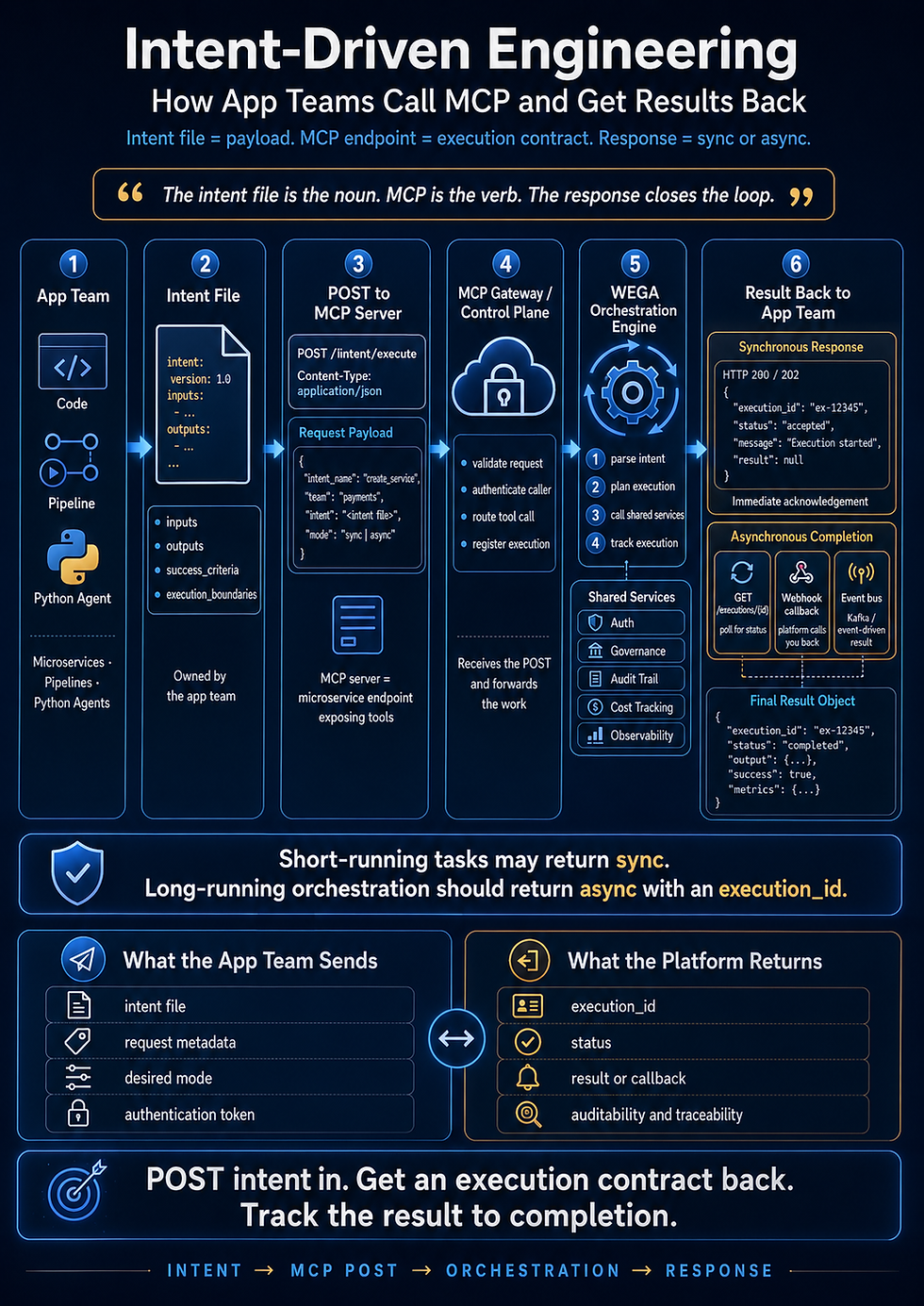
For an intent-driven engineering team, the fix is not just a ticket that says:
“Fix Kafka rebalancing.”
The right intent file says:
“Make Kafka consumer services safe to scale and promote across Dev, UAT, and Prod by validating consumer group behavior, Kubernetes lifecycle, Helm environment consistency, autoscaling rules, graceful shutdown, and rebalance observability before production release.”
That is how you prevent the next bottleneck.
Not by blaming the pod.
Not by blaming DevOps.
Not by blaming Kafka.
By making the system prove it can survive the exact thing we know is coming: scaling, deployment, failure, and change.
:::
Comments