

# Bootstrap Intent-Driven Engineering Workspace
- Mark Kendall
- 2 hours ago
- 1 min read

# Bootstrap Intent-Driven Engineering Workspace
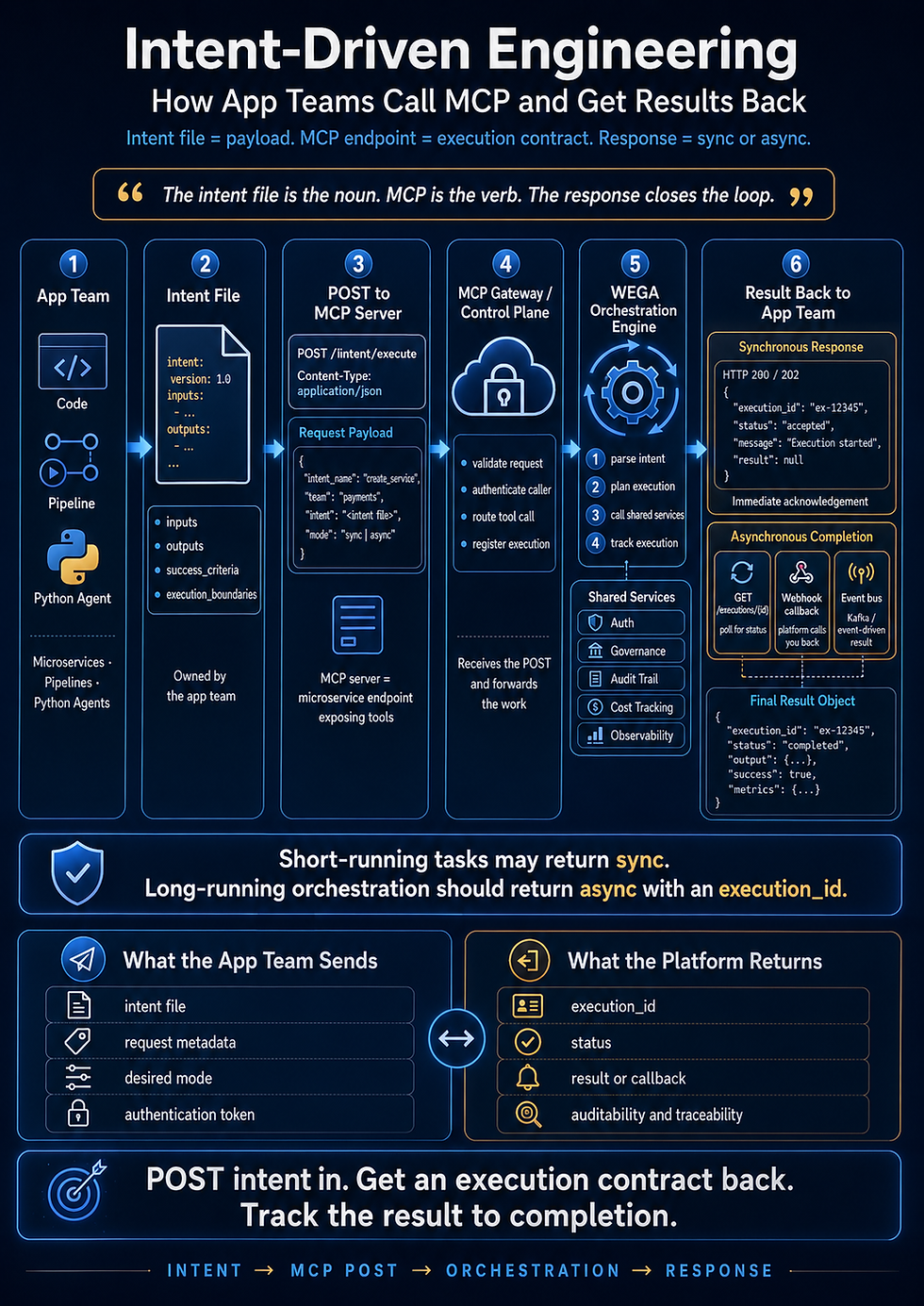
This file contains the bootstrap intent for scaffolding a complete intent-driven
engineering workspace with Claude Code. Drop this into a new repo, initialize
Claude Code (`claude init`), and prompt Claude to execute the intent below with
your chosen inputs.
## Intent
```yaml
intent:
name: bootstrap_intent_project
version: 1.0.0
description: >
Bootstrap a complete intent-driven engineering workspace including Claude Code
configuration, full directory structure, baseline intent, shared intent library,
observability layer, and initial registry entry.
author: learnteachmaster
maturity: Level 3 (Engineered)
inputs:
project_name:
type: string
example: "weather-intent-app"
project_description:
type: string
example: "Intent-driven weather application scaffold"
primary_language:
type: string
enum: [java, python, typescript]
deployment_target:
type: string
enum: [local, aws, kubernetes]
outputs:
workspace_initialized:
type: boolean
baseline_created:
type: boolean
registry_entry_created:
type: boolean
success_criteria:
- workspace_structure_exists
- claude_code_runs
- baseline_intent_valid
- registry_entry_present
- observability_present
execution_boundaries:
- must_create_full_directory_structure
- must_generate_required_markdown_files
- must_generate_required_yaml_files
- must_include_observability_layer
- must_not_skip_registry_entry
on_failure:
- log_error
- retry
executor:
type: claude_code
mode: orchestration
```
## How to Run
1. Create a new repo and save this file as `starthere.md` at the root.
1. Initialize Claude Code in the repo (`claude init` or open the folder in your
Claude Code environment).
1. Prompt Claude to execute the bootstrap intent, supplying values for
`project_name`, `project_description`, `primary_language`, and
`deployment_target`.
1. Claude will generate the full directory structure, baseline intent (B1), shared
intent library, observability layer, and your first registry entry.
## Source
Adapted from Mark Kendall’s “Claude Code Starter Kit” on LearnTeachMaster.
Comments